Software analysis · CLI & MCP
Find out how
software works.
Use REA with your coding agent to inspect binaries, trace application code and observe runtime behavior.
Install REA and connect it to this coding agent using npx rea-agents@latest setup. Show me the setup plan for approval, then verify the installation.
Or run this command in your terminal:
npx rea-agents@latest setup
What REA can analyze
Choose a guide for your binary, JavaScript app or browser session.
Native binaries
Inspect functions, strings, references and call relationships in executables and libraries.
Native analysis guideJavaScript & Electron
Map modules, routes, IPC and native dependencies from an application folder or ASAR archive.
Application workflowsBrowser & runtime activity
Capture selected browser or process activity, then compare the results across runs.
Browser observation guide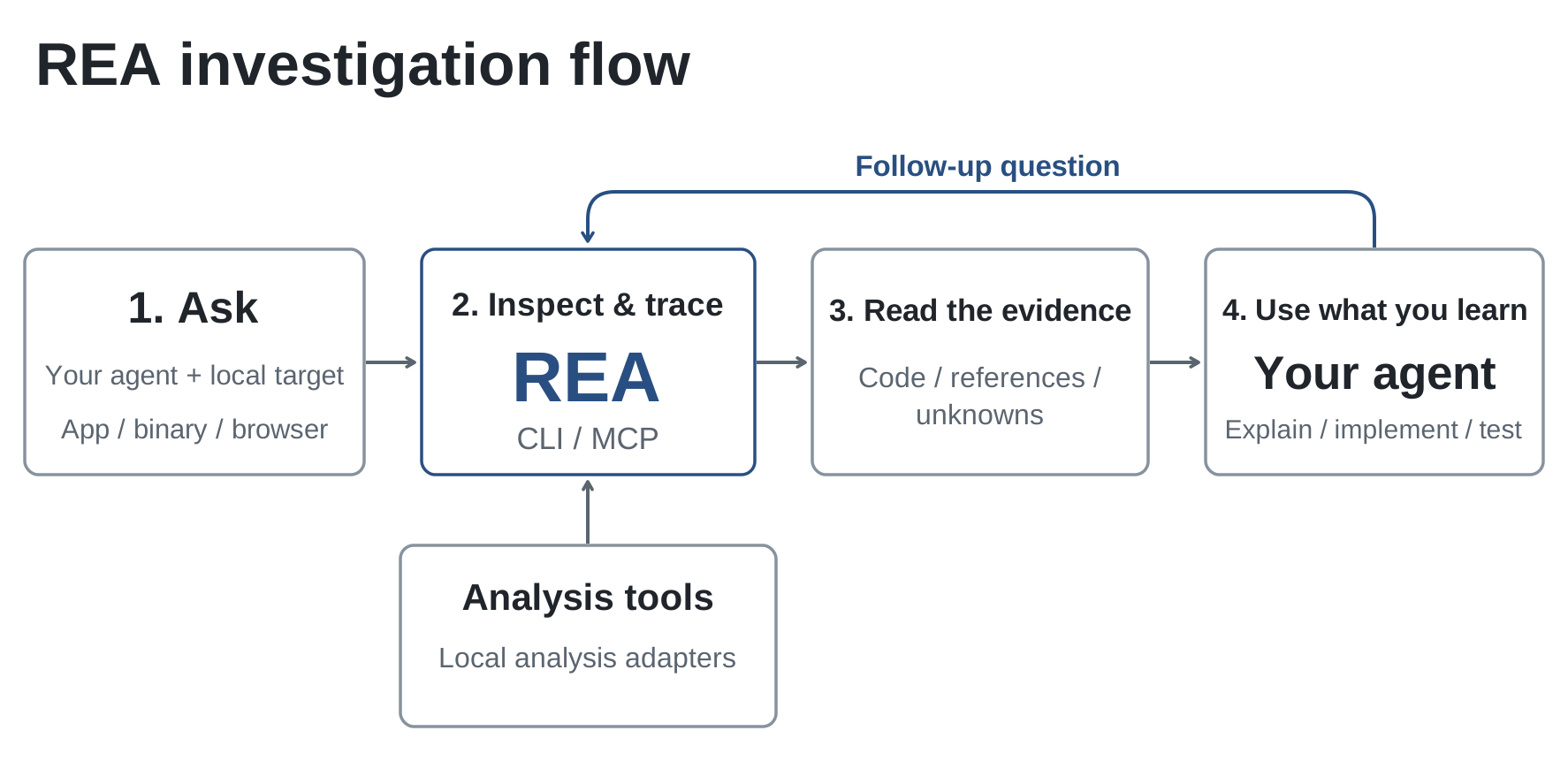
Case study · Native
Rebuilding DX-Ball
DX-Ball is a 1996 Windows game. The project is reconstructing it in C, using REA to inspect the executable and independent tests to check the recovered behavior.
To recover a sound-pan calculation, the agent used REA to inspect the instructions, follow a caller and read the constants. Those findings led to a C function checked against the original behavior and all 63 compiled bytes.
Work so far covers boards, resources, brick hits, animations, particles and bonus production. The playable game is still in progress.
- 55
- functions in maintained C
- 45,380
- original-x86 differential cases
- 33
- complete functions with matching compiled bytes
Case study · Electron
Notion's Electron clipboard
A copy operation crosses from the page to Electron's main process. Inspect Notion's packaged JavaScript with REA, then follow one channel through the wrappers to the system clipboard.
Short code excerpts show each handoff. A second figure explains how an HTML marker connects ordinary clipboard text to Notion's structured block data.
Follow the clipboard bridgeClipboard IPC channel
invokerInMain(
  "notion:clipboard:write"
)addListener(
"notion:clipboard:write",
handler
)Case study · PC-98 DOS
TH04's aimed bullet rings
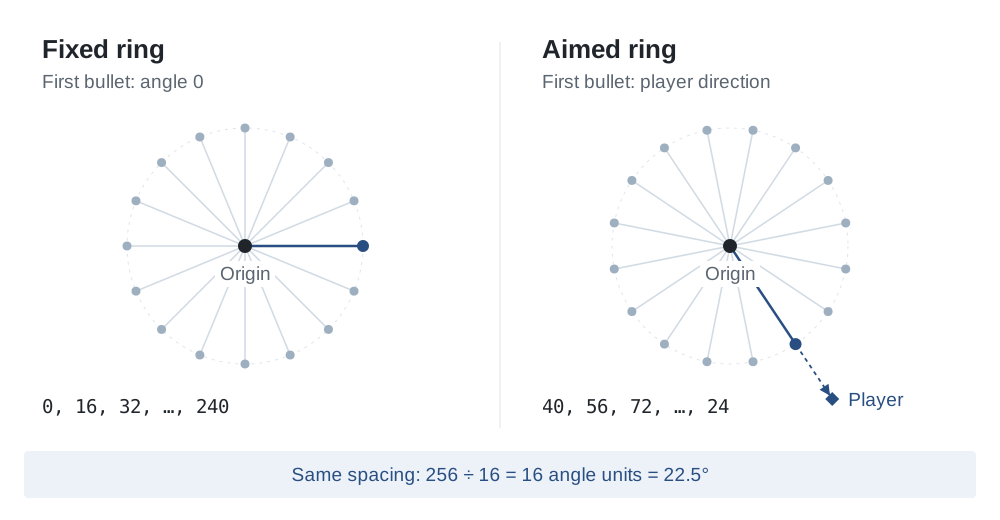
Inspect a 16-bit DOS function with REA. Follow its angle calculation from original instructions to readable C++, then see how adding the player's direction turns a ring of bullets.
See the bullet calculationFixed and aimed rings
Case study · CTF
Solve a CTF flag checker
Use REA to inspect an easy DownUnderCTF binary. Extract its checking rules, solve for the flag and confirm that the original program accepts it.
See the CTF solutionOne check reveals one character
Mask: skip 21, select 1, skip 14
Target: 55

code[21] = 55 → '7'What would you like to understand?
Connect REA to your coding agent, or run your first analysis from the terminal.